![CardSmart Logo (1) (1).png]](https://www.help.cardsmart.io/hs-fs/hubfs/CardSmart%20Logo%20(1)%20(1).png?height=40&name=CardSmart%20Logo%20(1)%20(1).png)
You can customize the appearance and functionality of a hosted payment page at any time.
To configure a hosted payment page:
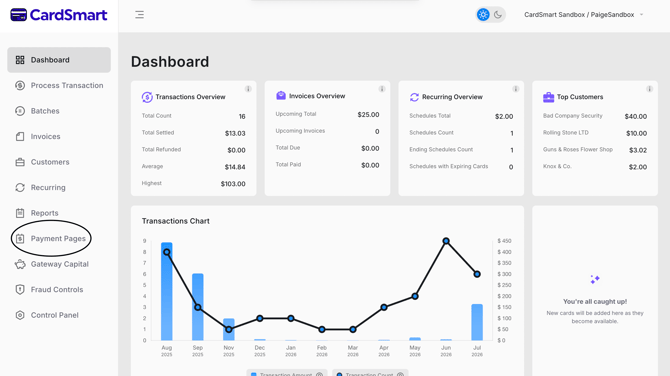
- Navigate to the Payment Pages tab.
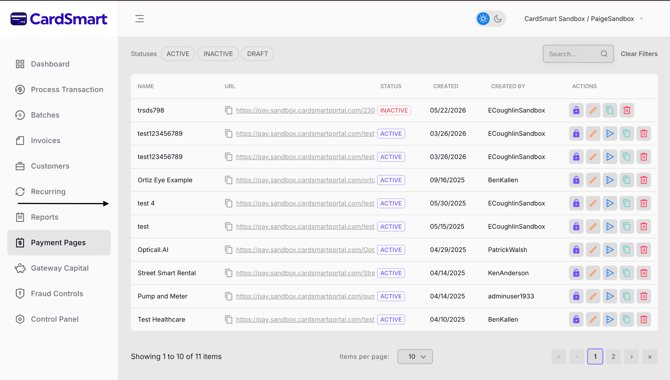
- Locate the payment page you want to edit.
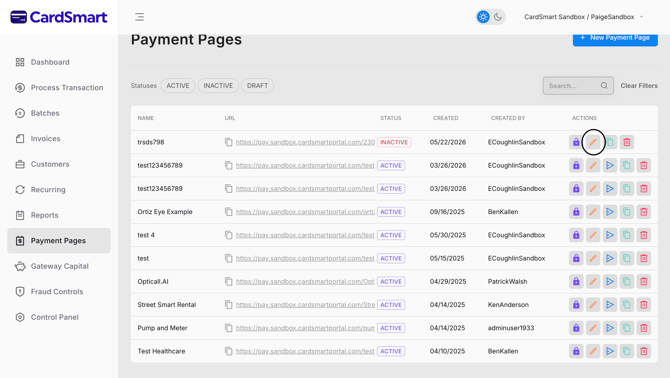
- Select the pencil icon to open the payment page settings.
- Update the page settings, appearance, or functionality as needed.
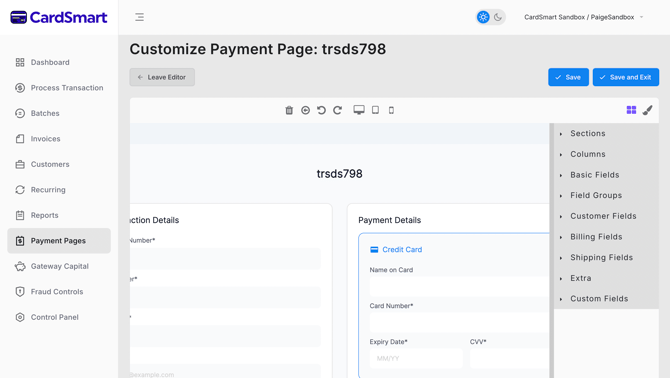
- Save your changes.
Configuring a hosted payment page allows you to customize the payment experience to meet your business needs. You can modify the page's appearance and settings to create a payment page that aligns with your branding and preferred payment workflow.