![CardSmart Logo (1) (1).png]](https://www.help.cardsmart.io/hs-fs/hubfs/CardSmart%20Logo%20(1)%20(1).png?height=40&name=CardSmart%20Logo%20(1)%20(1).png)
You can create a new product from the Invoices section in CardSmart.
To create a product:
- Navigate to the Invoices tab.
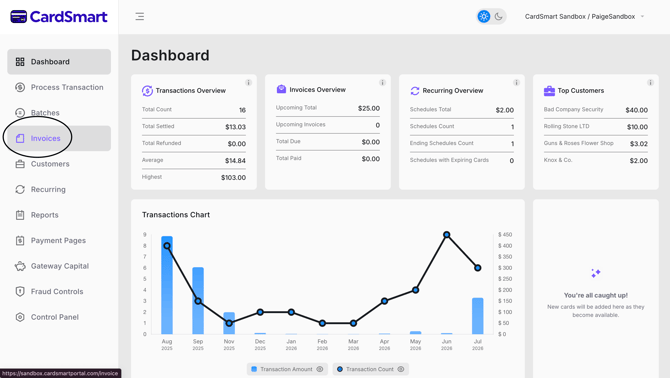
- Select Products.
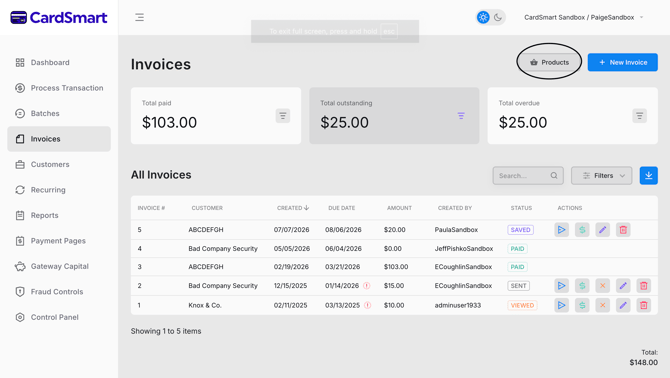
- Click New Product.
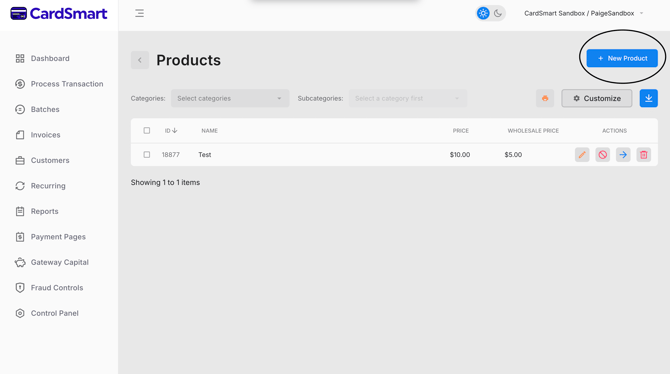
The Product Description page will open. Enter the required product information, including:
- Product Name
- Product Description
- Manufacturer
- Product URL
- Model Number
- Product Price
- Wholesale Price
- SKU
- Date Available
- UPC
- Product Category
- Product Weight
- Shipping Weight
- Inventory information
- Available Quantity
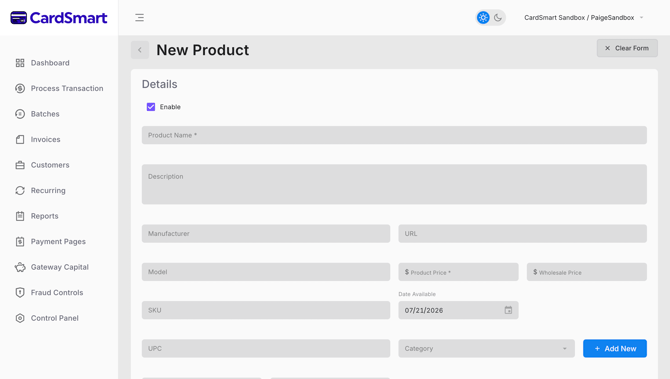
After entering the product details, review the information for accuracy and save the product. Once saved, the product will be available for use when creating invoices.