![CardSmart Logo (1) (1).png]](https://www.help.cardsmart.io/hs-fs/hubfs/CardSmart%20Logo%20(1)%20(1).png?height=40&name=CardSmart%20Logo%20(1)%20(1).png)
How Do I Customize a Batch Report?
You can customize the information displayed in your batch report to meet your reporting needs.
To customize a batch report:
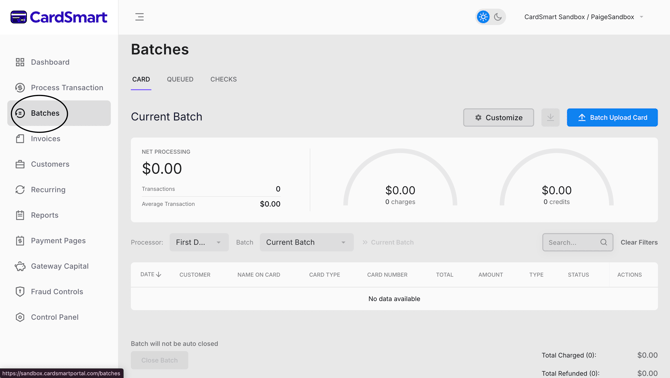
- Navigate to the Batches tab.
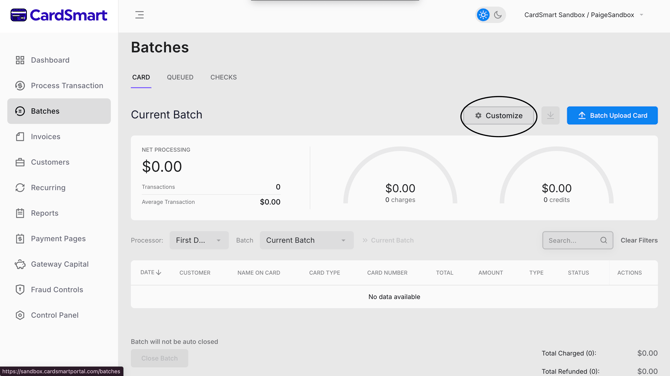
- Select the Customization button at the top of the page.
- Review the list of available report fields.
- Select or clear the checkboxes to choose which information you want included in the batch report.
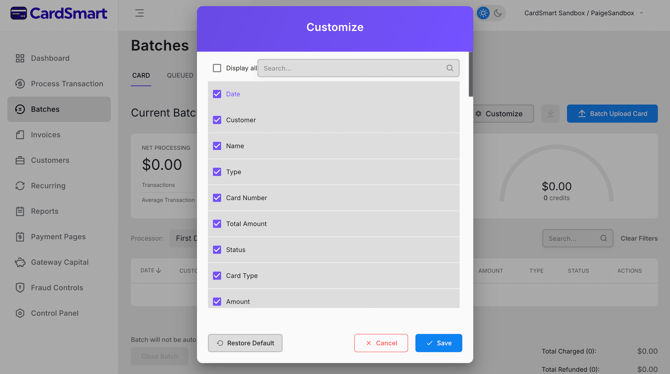
Your selected options will determine the information displayed in the report.
How Do I Manage an Individual Transaction?You can make changes to an individual transaction directly from the transaction details page.
To manage a transaction:
- Open the desired batch.
- Select the transaction you want to review.
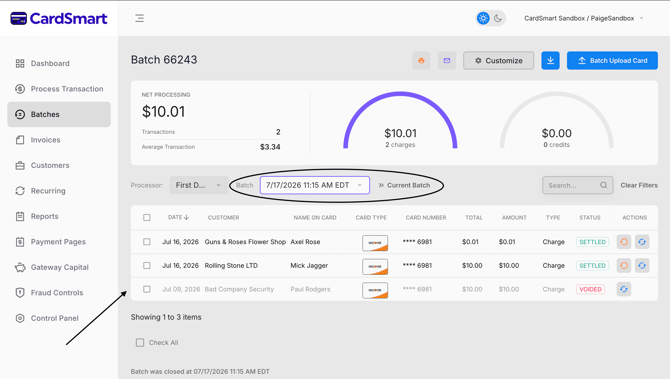
From the transaction details page, you can perform actions such as:
- Adjust the transaction amount.
- Issue a refund.
- Process the transaction again, if needed.
The available options allow you to manage individual transactions without affecting the rest of the batch.