![CardSmart Logo (1) (1).png]](https://www.help.cardsmart.io/hs-fs/hubfs/CardSmart%20Logo%20(1)%20(1).png?height=40&name=CardSmart%20Logo%20(1)%20(1).png)
You can create a hosted payment page in CardSmart to securely collect payments from your customers.
To create a hosted payment page:
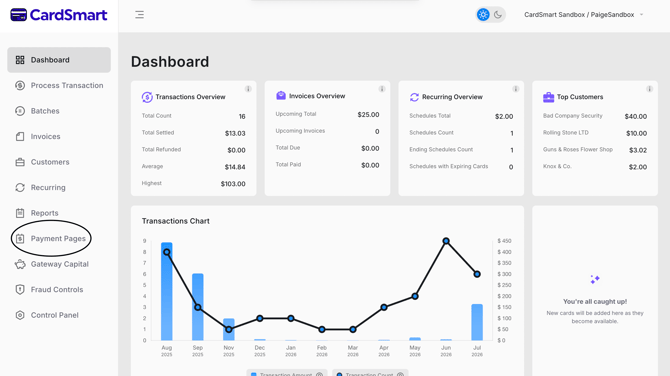
- Navigate to the Payment Pages tab.
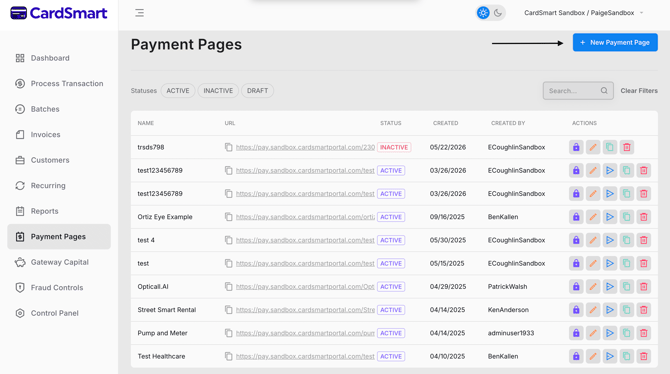
- Select New Payment Page.
- In the Configure Payment Page section, enter the required information, including:
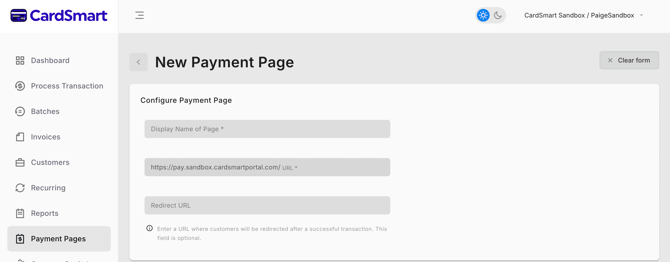
- Display Name
- Page URL
- Redirect URL
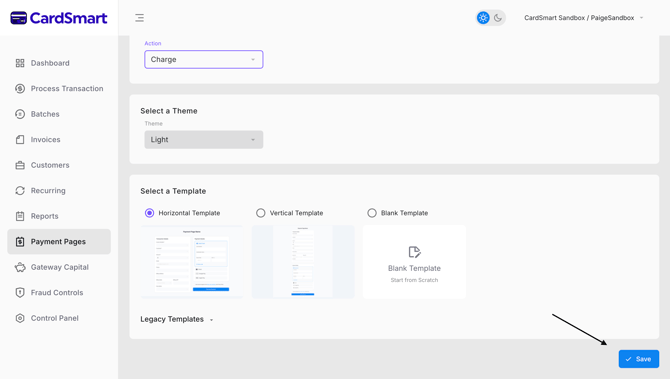
- Select the action you want the payment page to perform:
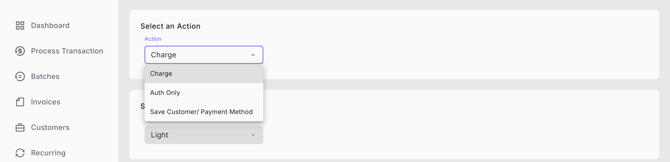
- Charge – Processes and captures the payment.
- Auth Only – Authorizes the payment without capturing it.
- Save Customer/Payment Method – Saves the customer's payment information for future use.
- Choose a theme and template for the payment page.
- Review the information and select Save.
 Once the payment page has been saved, a hosted payment page link will be created and can be shared with your customers to securely submit payments.