![CardSmart Logo (1) (1).png]](https://www.help.cardsmart.io/hs-fs/hubfs/CardSmart%20Logo%20(1)%20(1).png?height=40&name=CardSmart%20Logo%20(1)%20(1).png)
You can deactivate or permanently delete a hosted payment page from the Payment Pages tab.
Deactivate a Hosted Payment PageTo deactivate a payment page:
- Navigate to the Payment Pages tab.
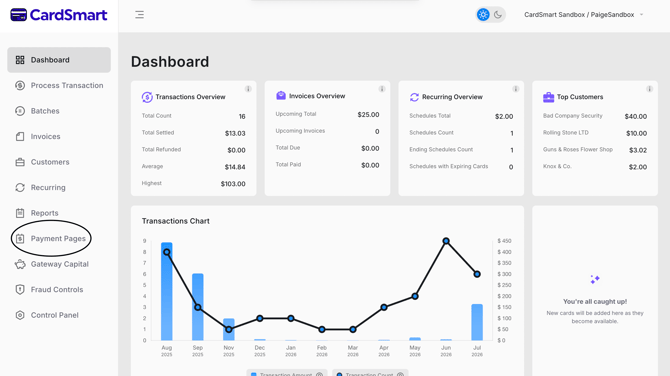
- Locate the payment page you want to deactivate.
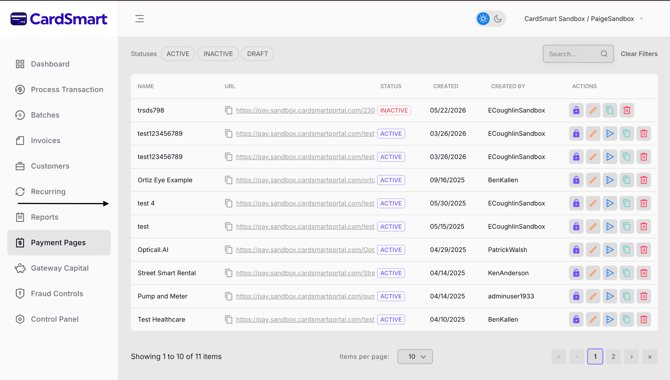
- Select the lock icon.
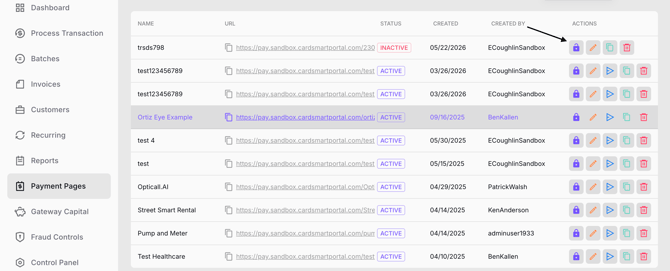
Once deactivated, the payment page will become inactive and can no longer be used to accept payments.
Delete a Hosted Payment PageIf you no longer need a payment page, you can permanently delete it.
- Navigate to the Payment Pages tab.
- Locate the payment page you want to delete.
- Select the red trash icon.
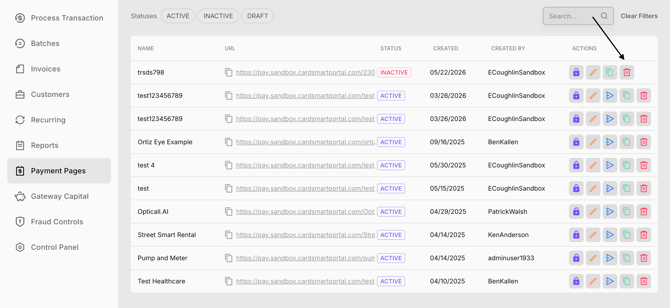
- Confirm the deletion when prompted.
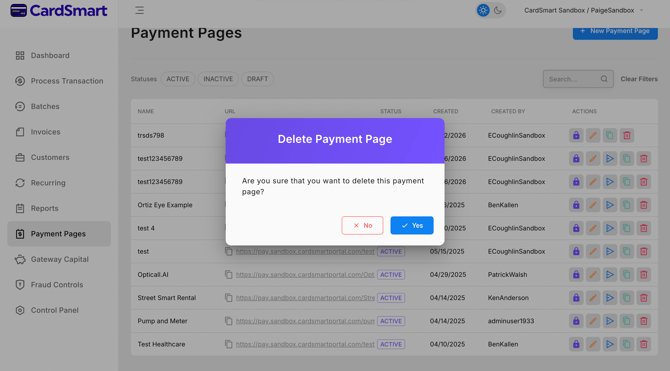
Once deleted, the payment page will be permanently removed from your list of payment pages.