![CardSmart Logo (1) (1).png]](https://www.help.cardsmart.io/hs-fs/hubfs/CardSmart%20Logo%20(1)%20(1).png?height=40&name=CardSmart%20Logo%20(1)%20(1).png)
You can manually close your current batch from the Batches section in CardSmart.
To manually close a batch:
- Select the Batches tab from the navigation menu.
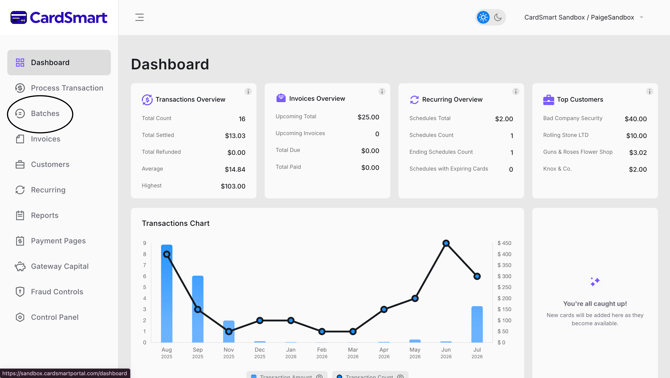
- Select the current date to view the transactions included in the open batch.
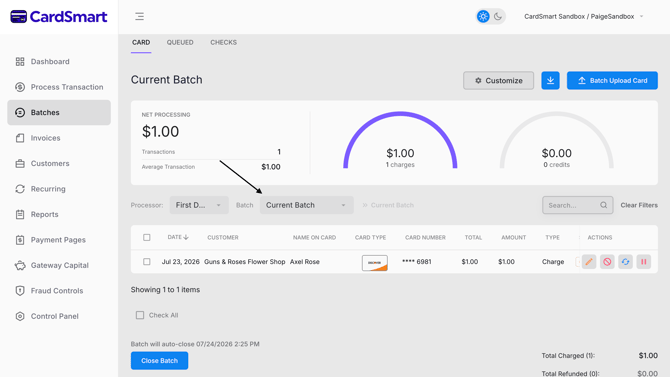
- Review the transactions to ensure they are ready to be settled.
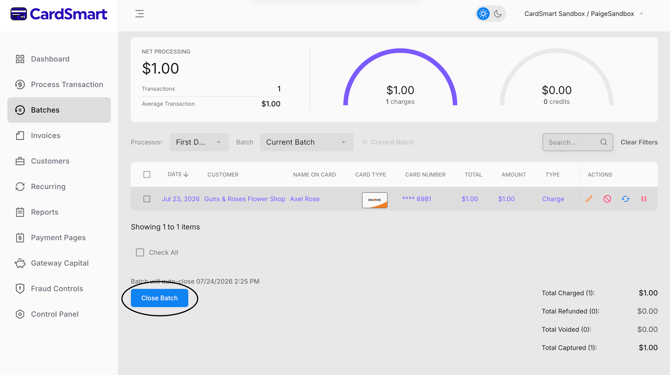
- Scroll to the bottom of the page and select Close Batch.
- When prompted, confirm that you want to close the batch.
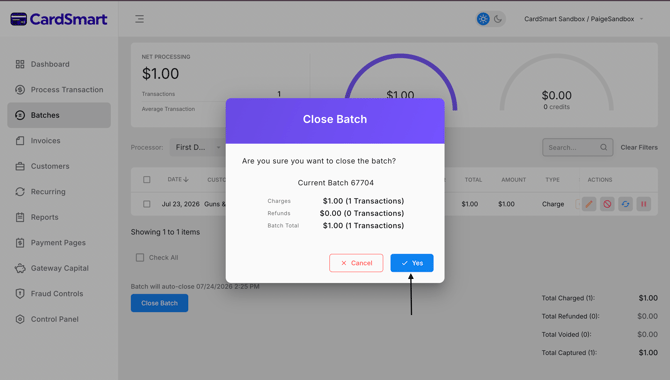
Once you confirm the action, the batch will be closed and submitted for settlement.