![CardSmart Logo (1) (1).png]](https://www.help.cardsmart.io/hs-fs/hubfs/CardSmart%20Logo%20(1)%20(1).png?height=40&name=CardSmart%20Logo%20(1)%20(1).png)
CardSmart allows you to create recurring payments using either a credit card or a check payment method.
To set up a recurring payment:
- Select either the Card or Check payment option.
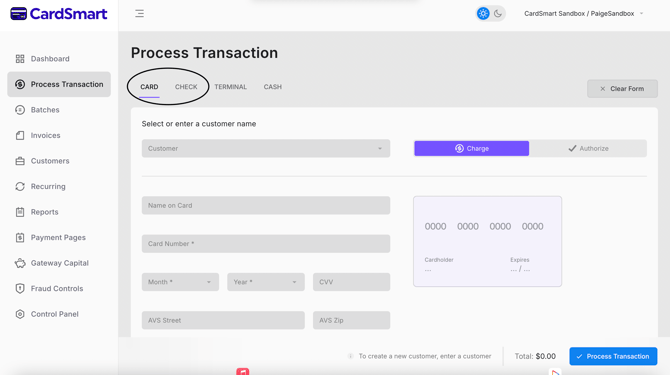
- Enter the required payment information.
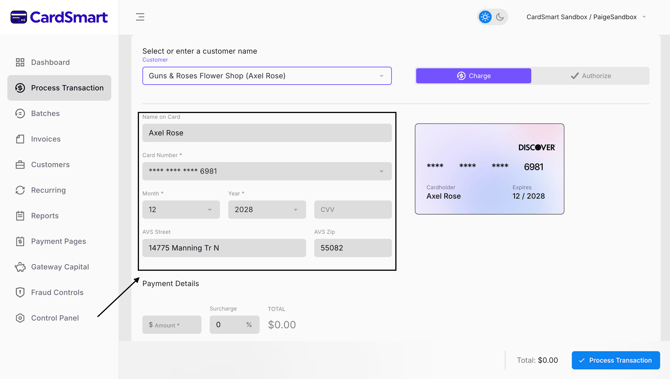
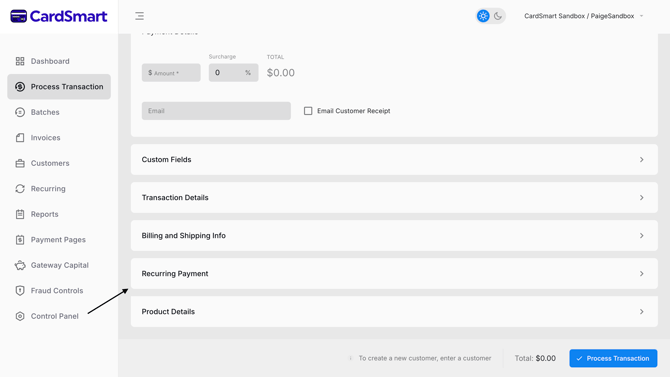
- Scroll to the bottom of the transaction screen and locate the Recurring Payment section.
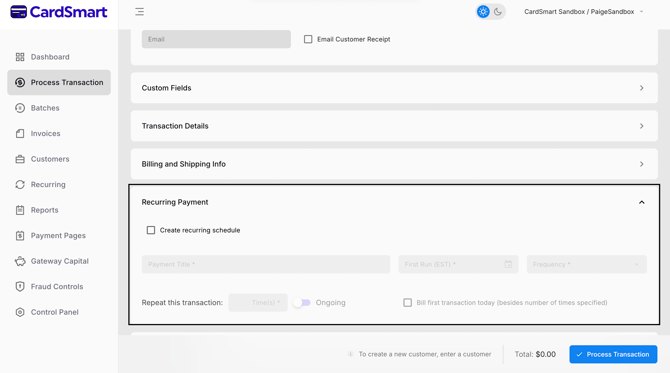
- Enter a title for the recurring payment plan.
- Select the date for the first payment.
- Choose how frequently the payment should occur (for example, weekly, monthly, or another available schedule).
- Specify the number of payments or the duration of the payment plan.
- Review the information and save the recurring payment schedule.
Once the recurring payment plan is created, the selected payment method will be used for future scheduled payments. The card or bank account information associated with the recurring payment will remain the same unless it is updated or changed at a later date.
Recurring payments can help automate scheduled billing and reduce the need to manually process payments for each billing cycle.