![CardSmart Logo (1) (1).png]](https://www.help.cardsmart.io/hs-fs/hubfs/CardSmart%20Logo%20(1)%20(1).png?height=40&name=CardSmart%20Logo%20(1)%20(1).png)
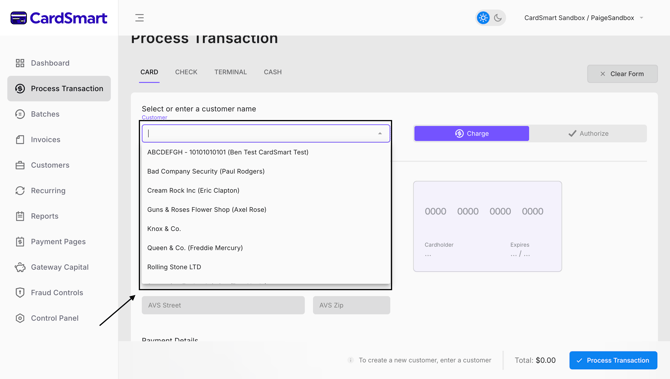
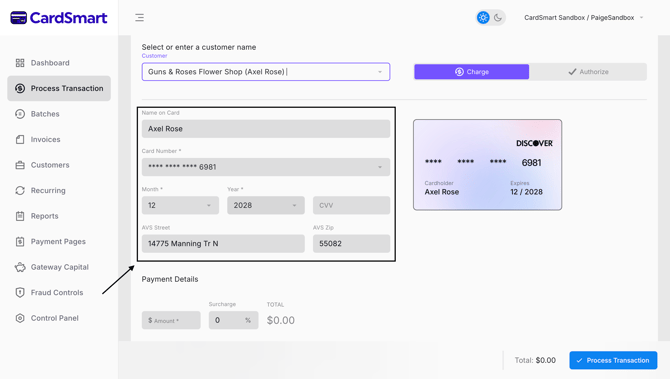
Using a stored Customer Profile can help streamline the payment process by automatically populating customer information during a transaction.
When processing a card payment, selecting a stored Customer Profile allows you to use the customer's saved payment information, reducing the need to manually enter card details and helping transactions move more efficiently.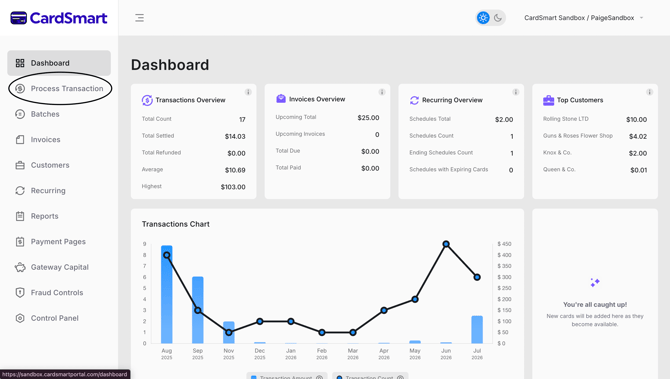
 For other payment types, such as check, terminal, or cash transactions, a stored Customer Profile does not eliminate the need to collect payment-specific information. However, the profile can still be useful for identifying the customer and accessing stored contact information.
For example, a stored Customer Profile may include the customer's email address, which can be used to send a receipt after the transaction is completed.
Using Customer Profiles can help improve efficiency, reduce manual data entry, and provide quick access to customer information during the payment process.