![CardSmart Logo (1) (1).png]](https://www.help.cardsmart.io/hs-fs/hubfs/CardSmart%20Logo%20(1)%20(1).png?height=40&name=CardSmart%20Logo%20(1)%20(1).png)
When creating a hosted payment page, you can choose to send either a recurring payment link or a one-time payment link.
To create a one-time payment link:
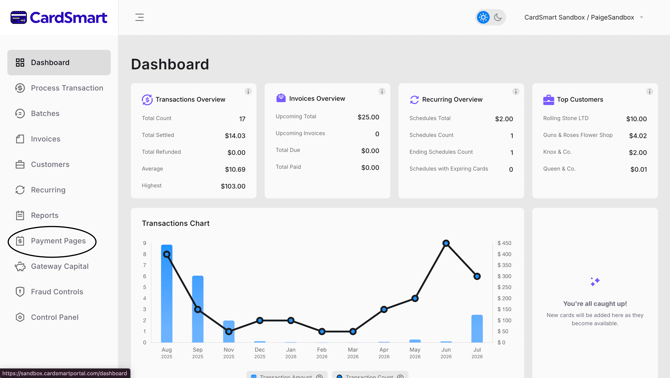
- Navigate to the Payment Pages tab.
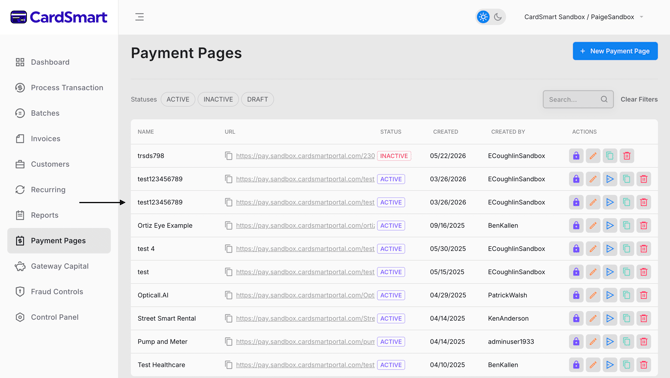
- Select or create the hosted payment page you want to use.
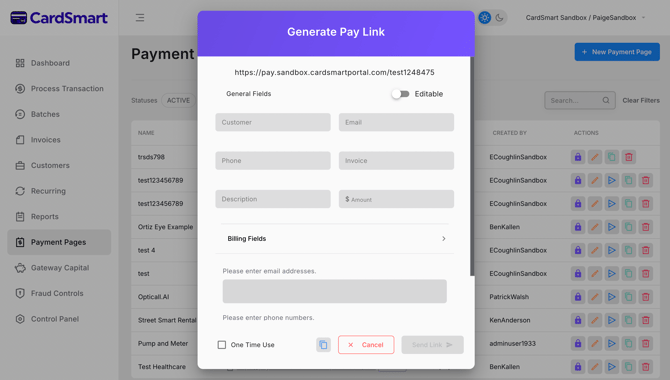
- Enter the required customer and payment information.
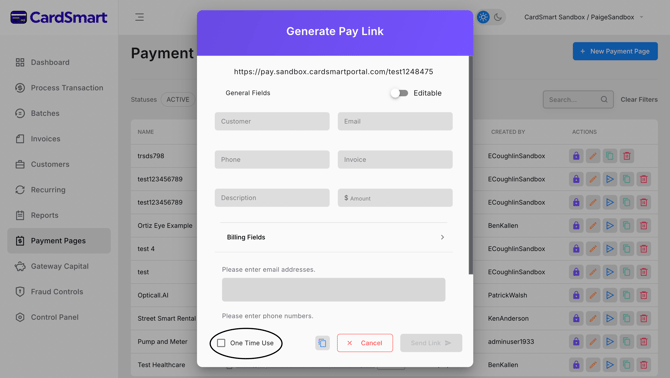
- At the bottom of the page, select the One-Time Link option.
- Review the payment details and generate the payment link.
Once the link has been created, you can send it to your customer by email or text message. The customer can use the link to securely complete a single payment.